![Technical SEO for Funeral Home Websites: A Plain-English Guide [2026]](/images/blog/10-technical-seo-funeral-home-websites/technical-seo-funeral-home-websites-featured.webp)
A family searches “funeral directors near me” at 11pm on a mobile phone. Your website is in Google’s index. It loads in eight seconds, triggers a “Not Secure” warning in the browser bar, and the text is too small to read without pinching the screen. Google noticed all of this long before the family did.
That phrase generates around 9,900 UK searches every month, with an average cost per click of £17.50 [6]. That traffic is being distributed by Google right now, whether your website is technically ready for it or not.
Technical SEO is the foundation most independent funeral home websites have never addressed. It isn’t about keywords or content. It’s about whether Google can actually access your site, load it quickly, understand what each page contains, and serve it properly on a mobile phone. A site that fails these basics ranks below competitors before the content is even evaluated.
Most independent funeral home websites have at least three significant technical problems. None of them require a developer to diagnose. All of them can be checked with free tools in under thirty minutes.
This guide covers the eight most common technical SEO issues on funeral home websites, written in plain English, specifically for funeral directors. Each section explains what the issue is, why it matters for your Google ranking, and how to check it on your own site.
What is technical SEO, and why does it matter for funeral home websites?
Technical SEO is the process of ensuring a website meets Google’s technical requirements for crawling, indexing, and ranking. For a funeral home website, this means the site loads quickly, works on mobile phones, is secure (HTTPS), tells Google what each page is about (schema markup), and can be fully discovered and indexed by search engine crawlers.
Think of it this way. On-page SEO is what you say on your website, the content, headings, and keywords. Technical SEO is whether Google can hear you saying it. Your website could be the most informative funeral home website in the county, but if Google can’t load it in under three seconds on a mobile phone, families will never read it.
Local SEO is where you appear, your Google Business Profile, your Map Pack ranking, your directory listings. Technical SEO is whether you appear at all. A technically broken site undermines everything, including your local visibility.
There’s another reason this matters specifically for funeral home websites. Google classifies funeral services as YMYL, Your Money Your Life. These are topics where incorrect or untrustworthy information can cause real harm. Google applies stricter quality thresholds to YMYL sites, which means a funeral home website with technical problems faces a higher bar than a restaurant or retail shop with the same issues.
A technically broken site is like a well-written CV sent in an envelope Google can’t open. The quality of what’s inside becomes irrelevant.
What is the difference between technical SEO, on-page SEO, and local SEO?
| Type | What it covers | Funeral home example |
|---|---|---|
| Technical SEO | Site speed, security, indexing, mobile, schema | Whether Google can crawl and load your website properly |
| On-page SEO | Content, keywords, meta tags, headings | The words on your service pages and how they’re structured |
| Local SEO | Google Business Profile, citations, reviews, Map Pack | Whether you appear when someone searches your town |
All three are required. Technical SEO is the foundation the other two are built on. For a detailed look at the content side, the guide to on-page SEO for funeral homes covers that layer in full.
Does a slow website affect how your funeral home ranks on Google?
Yes. Google uses page speed as a direct ranking signal. Specifically, it measures three Core Web Vitals, LCP (how fast the main content loads), CLS (whether the page jumps around as it loads), and INP (how quickly the page responds to interaction). Funeral home websites that fail these benchmarks rank below faster competitors [3].
Google confirmed page speed as a ranking factor in 2010, and made Core Web Vitals a direct ranking signal in June 2021 [3]. This isn’t speculation, it’s documented policy.
The typical independent funeral home website was built five to ten years ago by a local designer. It takes six to nine seconds to load on a mobile phone, often because of unoptimised hero images, an outdated WordPress theme, or unnecessary third-party scripts. Google’s threshold for a “good” LCP score is under 2.5 seconds [5]. The gap is significant.
Slow sites also lose visitors directly. Research from Google shows that 53% of mobile users abandon a page that takes more than three seconds to load [1]. A family arriving on a slow funeral home website at a stressful moment doesn’t wait. They tap the back button and call the next result.
What does this cost you? Every family that bounces is a signal to Google that your site didn’t meet the searcher’s needs. That signal compounds over time.
How do I test my funeral home website speed?
- Go to Google PageSpeed Insights (pagespeed.web.dev)
- Enter your website address
- Wait for the test to complete, usually under 30 seconds
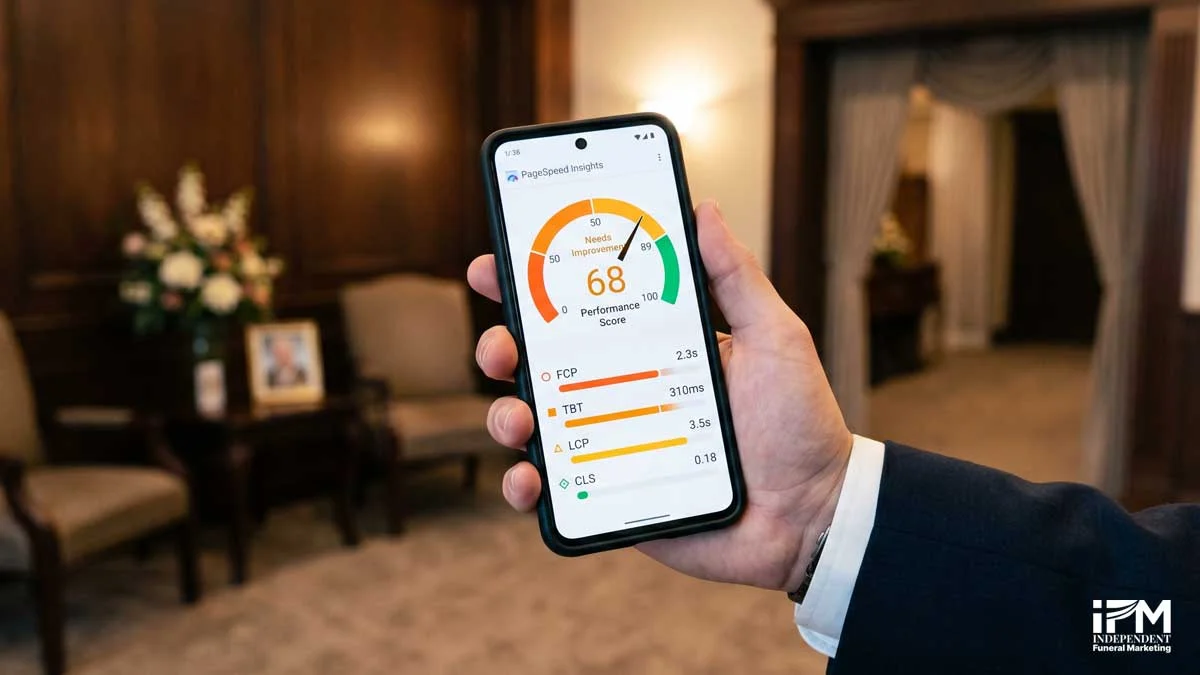
- Read your mobile score first, as that’s what Google uses for ranking
A score of 90 or above is “Good.” Between 50 and 89 is “Needs Improvement.” Below 50 is “Poor.” The tool lists specific issues in priority order and tells you exactly what to fix first.
Free Tool: Google PageSpeed Insights Visit pagespeed.web.dev, enter your funeral home website address, and receive a score for both mobile and desktop with specific issues listed in priority order. Free. No account required.
What are Core Web Vitals, and what do they mean for your funeral home website?
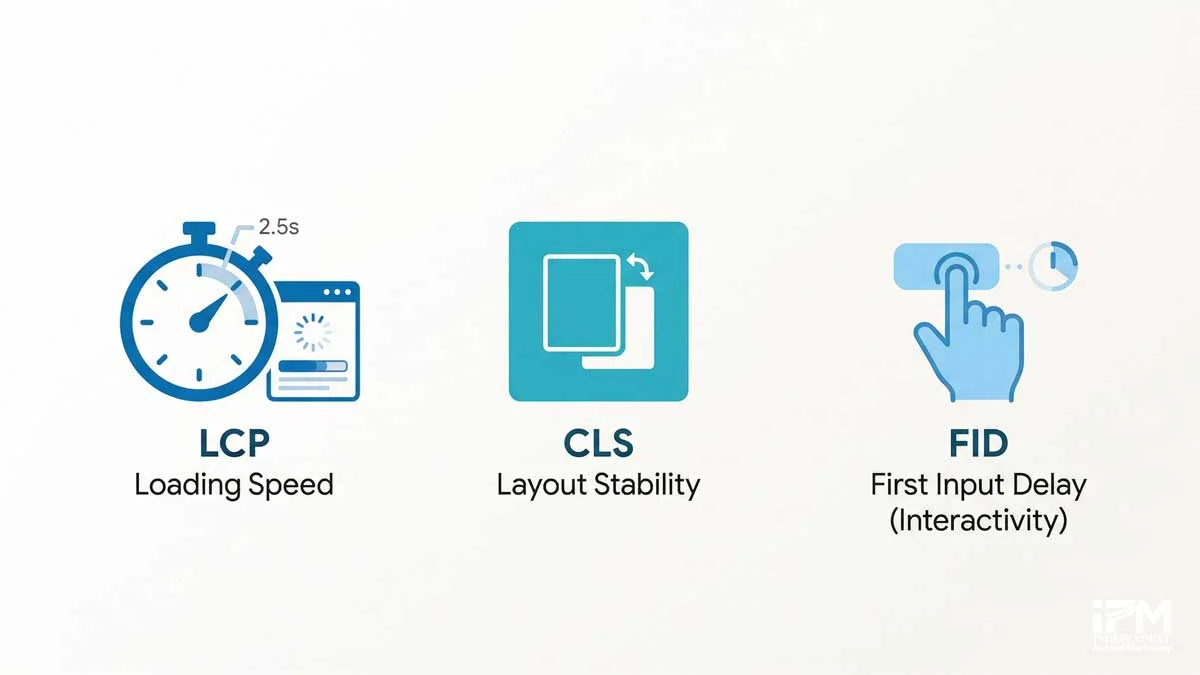
Core Web Vitals are Google’s three official page experience metrics. They measure how fast a page loads (LCP), how stable the content is as it loads (CLS), and how quickly the page responds to interaction (INP). All three are live Google ranking signals, and all three are measurable using free tools [5].
Here’s what each one means in practical terms for a funeral home website:
LCP (Largest Contentful Paint) measures how long it takes for the biggest visible element to load. On most funeral home websites, that’s the hero image or header banner. Google’s target: under 2.5 seconds. If your homepage hero image is a 4MB uncompressed JPEG, your LCP will fail before anything else loads.
CLS (Cumulative Layout Shift) measures whether elements jump around as the page loads. Have you ever tried to tap a phone number on a website and had the button shift just as your finger lands? That’s a CLS problem, and it’s common on template-built funeral home websites where ads, cookie banners, or lazy-loaded images push content around. Google’s target: CLS score under 0.1.
INP (Interaction to Next Paint) replaced FID in March 2024 [4]. It measures how quickly the page responds after someone taps or clicks. On a funeral home website, this matters most for contact forms and enquiry buttons. Google’s target: under 200 milliseconds.
How do I check my Core Web Vitals?
Two places. PageSpeed Insights (covered above) shows lab data, a simulation of how your site performs. Google Search Console shows field data, actual performance data from real visitors. Field data is what Google uses for ranking.
In Search Console, navigate to the Core Web Vitals report under the “Experience” section. If your site has enough traffic, you’ll see real-world scores for LCP, CLS, and INP across mobile and desktop.
Important: Google uses Core Web Vitals data from real users visiting your site (field data). If your site doesn’t receive enough traffic, PageSpeed Insights will show lab data instead, a simulation, not a ranking signal. Google Search Console shows field data once your site has enough visitors.
What are the most common Core Web Vitals failures on funeral home websites?
Three issues appear repeatedly. Unoptimised hero images cause LCP failures, often because the original image file was uploaded without compression. Legacy WordPress themes that load full desktop CSS on mobile cause both LCP and CLS failures. Third-party scripts, chatbot widgets, booking tools, and analytics trackers that weren’t properly configured, cause INP failures by blocking interactivity.
Does Google rank the mobile version of your funeral home website first?
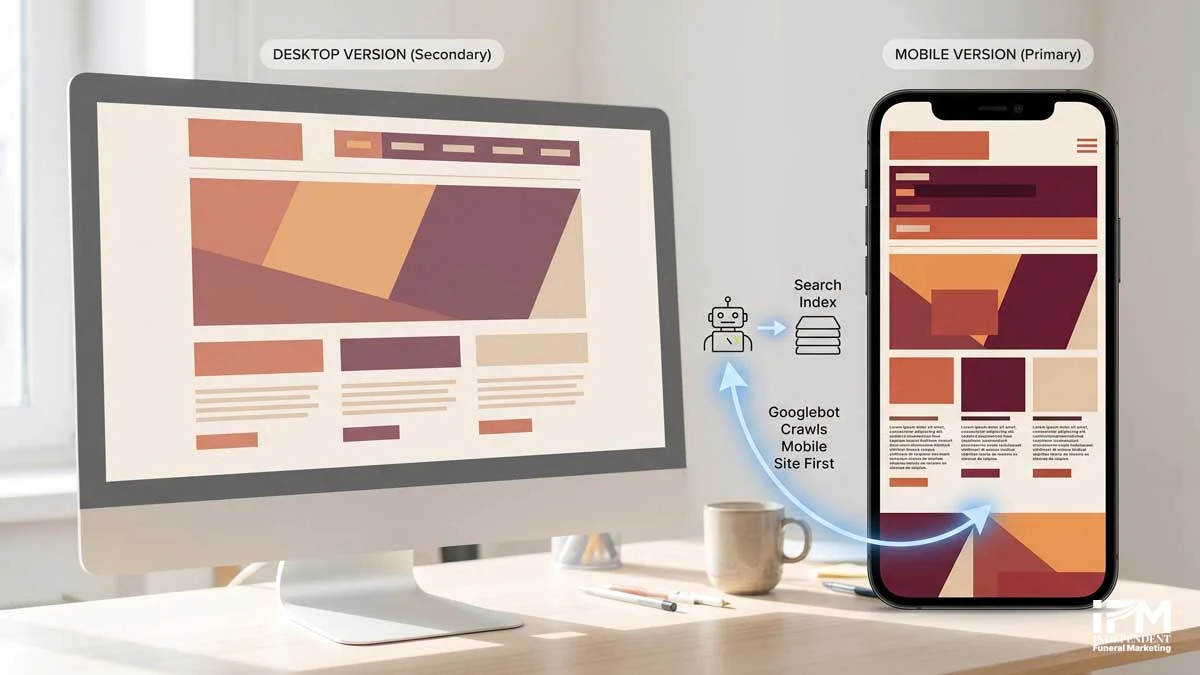
Yes. Since 2019, Google has indexed and ranked the mobile version of every website first. This is called mobile-first indexing. If your funeral home website was designed primarily for desktop computers and has not been updated for mobile, Google is evaluating a degraded version of your site, and ranking it accordingly.
Mobile-first indexing became Google’s default for all sites in March 2021. Funeral home websites built before 2015 are disproportionately affected, because they were designed for a time when most visitors used desktop computers. That time is over.
A responsive website adapts its layout to any screen size automatically. A non-responsive site shows the same desktop layout on a mobile phone, making text tiny, buttons impossible to tap, and phone numbers too small to read. More critically, if the mobile version of your site is missing content or images that appear on the desktop version, Google may not see that content at all.
Does your funeral home website look the same on a phone as it does on a desktop monitor? If so, it isn’t responsive, and Google is ranking the degraded version.
How do I check if my funeral home website is mobile-friendly?
Visit Google’s Mobile-Friendly Test at search.google.com/test/mobile-friendly. Enter your homepage URL. Google returns a pass/fail result in under 30 seconds and flags specific issues if the site fails.
One important distinction: passing the mobile-friendly test confirms that your site renders on a phone. It doesn’t confirm that the site is fast, well-structured, or pleasant to use on mobile. A site can pass the test and still score poorly on Core Web Vitals. The test is a baseline, not a gold standard.
Free Tool: Google Mobile-Friendly Test Visit search.google.com/test/mobile-friendly. Takes 30 seconds. Shows whether Google can render your site on mobile and flags specific issues if it cannot.
Should a funeral home website have HTTPS, and what happens if it doesn’t?
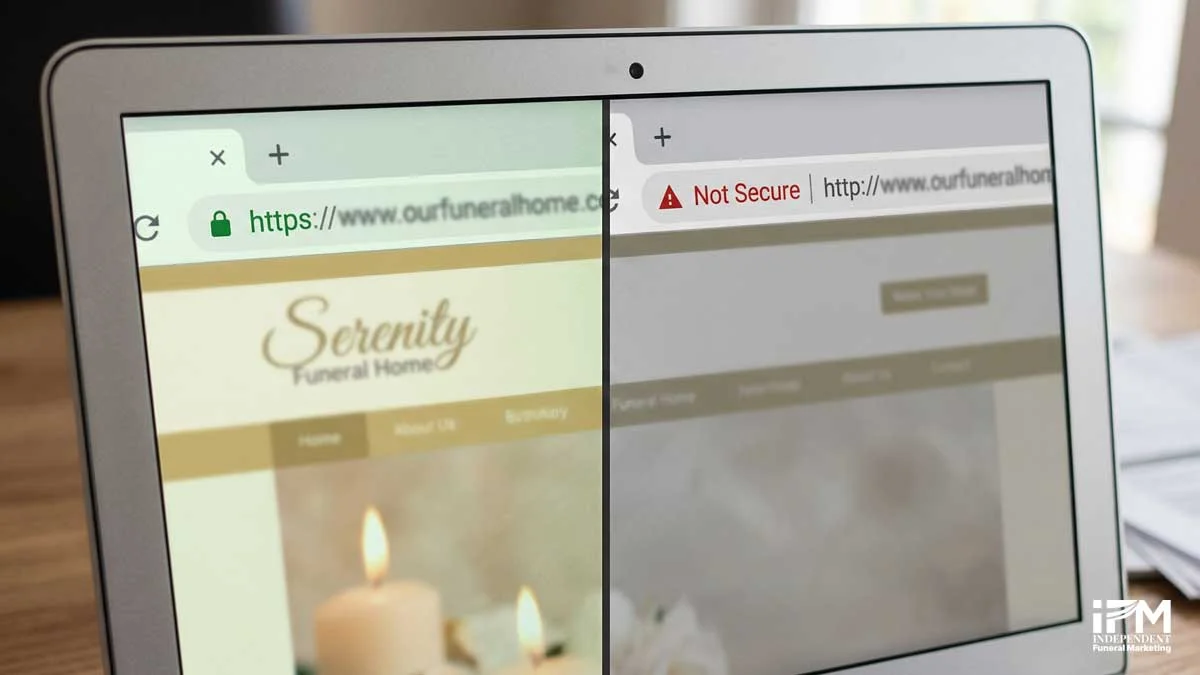
Yes. Every funeral home website should use HTTPS. Without it, Chrome, Firefox, and Safari display a “Not Secure” warning in the browser address bar. For a business built on trust, this is a visible credibility problem. HTTPS is also a confirmed Google ranking signal [2]. Any website without an SSL certificate is at a disadvantage on both counts.
Google confirmed HTTPS as a ranking signal in August 2014 [2]. It’s a minor direct signal, but the trust damage of a “Not Secure” warning is a much larger indirect problem. When a grieving family arrives on a funeral home website and sees that warning, many will leave immediately. That behaviour shows up in bounce rate data, which Google also evaluates.
SSL certificates are now free through Let’s Encrypt and included in most modern hosting packages. There is no financial barrier to fixing this.
Once SSL is installed, the site must redirect all HTTP traffic to HTTPS. If both versions exist simultaneously, search engines see two copies of the site, which creates a duplicate content problem.
How do I add HTTPS to my funeral home website?
- Contact your hosting provider and ask them to enable SSL. Most include it free via Let’s Encrypt.
- Once installed, set up a 301 redirect from HTTP to HTTPS in your CMS or server settings.
- Verify by typing your website address starting with “http://” into a browser. If you see a padlock icon and the address changes to “https://”, it’s working.
Quick Check: Type your website address starting with http:// into a browser. If you see a padlock icon, HTTPS is working. If you see “Not Secure” or are not automatically redirected to the HTTPS version, contact your hosting provider.
What is schema markup, and do funeral homes need it?
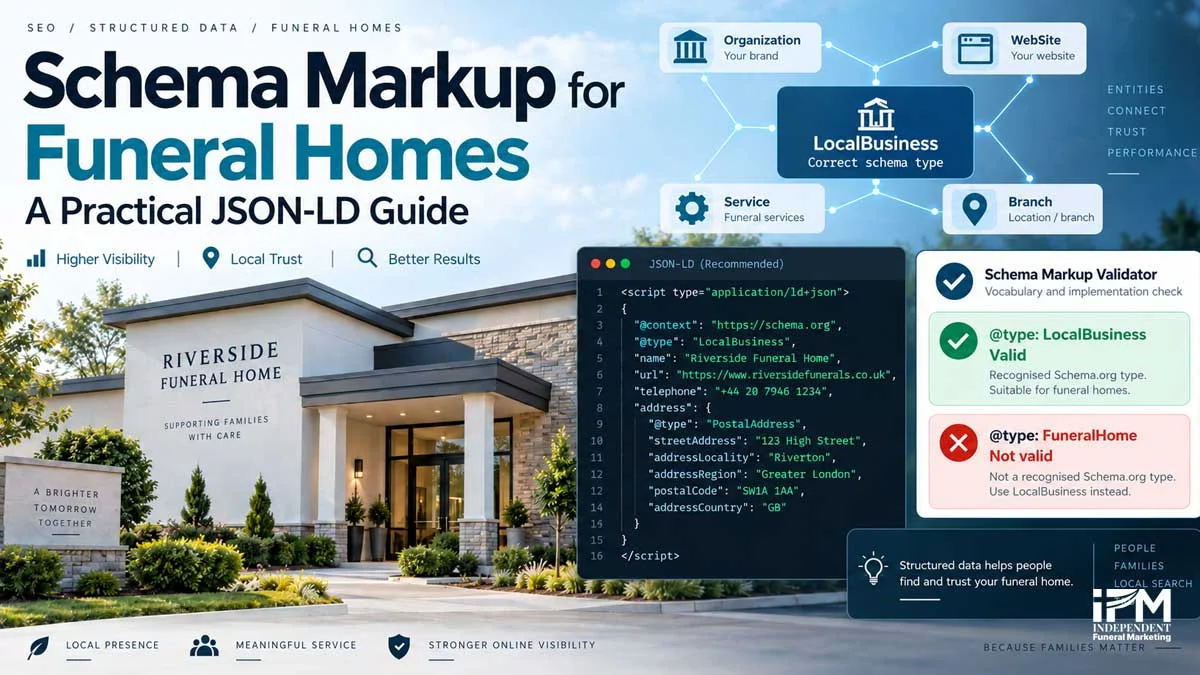
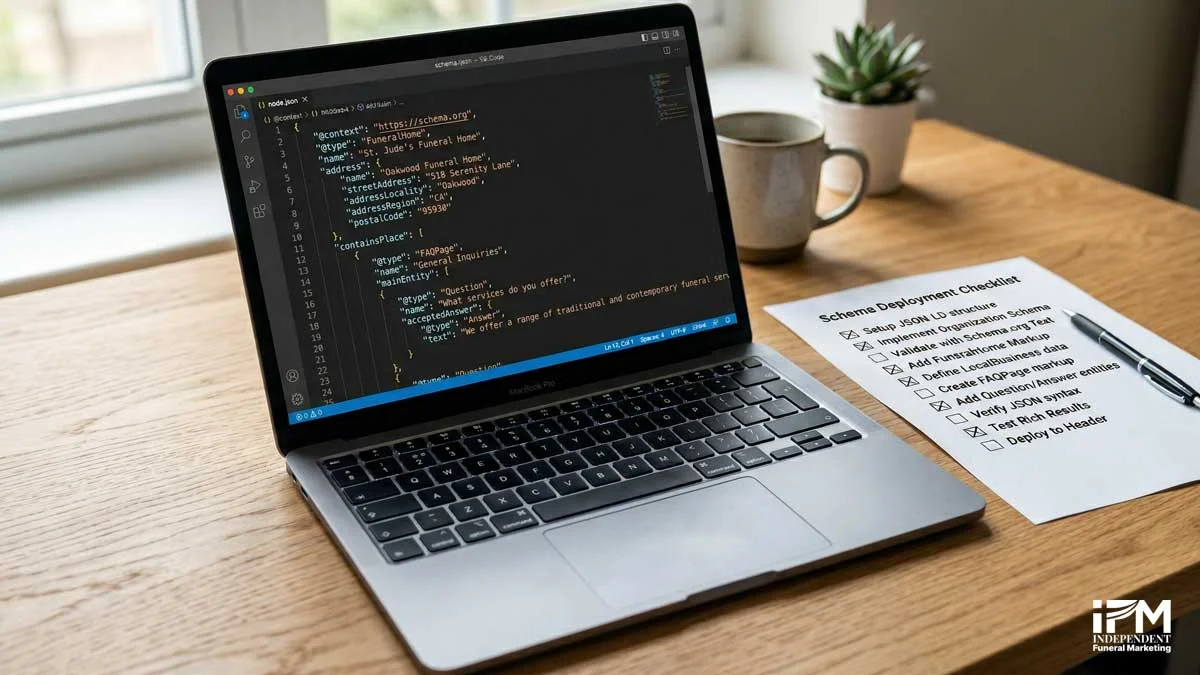
Schema markup (also called structured data) is code added to a webpage that tells Google and AI systems exactly what the page is about, not just through the words on it, but through a structured vocabulary they can read directly. For funeral home websites, the right schema markup tells Google you are a funeral home, where you are located, what services you offer, and what questions you answer.
Without schema markup, Google has to guess what a page is about from its text alone. With it, you can tell Google explicitly: this business is a funeral home, these are its services, this is its address, these are the questions it answers. The difference matters. Consider it the difference between handing someone a document and handing them the same document with a summary on the front page.
Schema markup doesn’t directly boost rankings, but it enables rich results, FAQ accordions in Google Search, star ratings, service details, that increase click-through rates significantly. A search result with rich results stands out from the page, and families are more likely to click it.
The implementation uses JSON-LD (a type of code that lives in the background of your page, invisible to visitors, visible to Google). Most WordPress SEO plugins, including Yoast SEO and RankMath, can automate this without manual coding.
What schema markup should a funeral home use?
Four essential types:
- LocalBusiness schema (with FuneralHome additionalType), the entity that tells Google this is a funeral business specifically, not just any service business. Includes your name, address, phone number, opening hours, and service area.
- Service schema (one per service type), one entry each for cremation, burial, direct cremation, pre-need planning, and any other service you offer. Each with its own description.
- FAQPage schema (for every FAQ section on the site), this is the most AI-visible schema type. When AI tools look for answers, they extract from FAQPage schema before free-text content.
- BreadcrumbList schema (for site navigation), supports both usability and structured crawling.
Schema Checklist for Funeral Home Websites: LocalBusiness (FuneralHome additionalType) / Service (one per service) / FAQPage (for FAQ sections) / BreadcrumbList (site navigation). Implement in JSON-LD format in the head of each relevant page.
For full JSON-LD code examples, a complete property reference, and funeral-sector nuances like UK classification codes and CMA price compliance, see our full schema markup implementation guide.
Does schema markup help funeral homes appear in AI Overviews?
Yes, and this is increasingly important in 2026. When Perplexity, ChatGPT, and Google AI Overviews generate responses to queries like “what should a funeral home website include” or “best funeral directors in [town],” they prioritise sources with structured, entity-rich, schema-backed content. FAQPage schema is the single most impactful technical SEO action for AI search visibility.
Why is my funeral home website not showing up on Google?
There are five main reasons a funeral home website may not appear in Google search results: the site has not yet been indexed, a robots.txt file is accidentally blocking Google, the site lacks HTTPS, key pages are missing from the XML sitemap, or the site was recently launched and Google hasn’t crawled it yet. Each can be diagnosed for free using Google Search Console.
If your website isn’t appearing in Google, it doesn’t necessarily mean there is a major problem. The most common cause is simply that the site hasn’t been indexed yet, or that a single configuration error is blocking it. Here’s how to check:
- Not indexed. In Google Search Console, use the URL Inspection tool. Enter your homepage URL. If it says “URL is not on Google,” request indexing directly from that screen.
- Blocked by robots.txt. A misconfigured robots.txt file can tell Google to ignore the entire site. Check by visiting yourdomain.com/robots.txt in your browser. If you see “Disallow: /” on a line, that instruction is blocking everything.
- No HTTPS. Some Google crawlers deprioritise non-HTTPS pages. If you haven’t addressed this yet, see the HTTPS section above.
- Not in the sitemap. If a page isn’t in the XML sitemap, Google may not know it exists. This is covered in the next section.
- New site. Google crawls established sites more frequently than new ones. A newly launched funeral home website may take four to eight weeks to appear in results. Submitting a sitemap and requesting indexing through Search Console accelerates this significantly.
How do I use Google Search Console to check if my funeral home website is indexed?
- Go to search.google.com/search-console
- Add and verify your website if you haven’t already (verification takes 24 to 48 hours)
- Navigate to URL Inspection in the left-hand menu
- Enter your homepage URL
- Check the Coverage status, it will tell you whether the page is indexed, excluded, or has errors
The Coverage report also shows all pages Google has found on your site and flags any crawl errors preventing indexing.
What is a robots.txt file and why does it matter for funeral home websites?
A robots.txt file is a text file at the root of your website that tells search engines which pages they can and can’t crawl. Every website has one (or should have one). It lives at yourdomain.com/robots.txt.
When set correctly, it guides Google to the important pages and keeps it away from admin areas, duplicate pages, or staging environments. When set incorrectly, it can prevent Google from indexing any of your pages. A single line, “Disallow: /”, blocks the entire site.
Check yours by typing yourdomain.com/robots.txt into a browser. You should see a few lines of text. If it contains “Disallow: /” without specifying specific paths, that’s the problem.
For a realistic picture of how long these improvements take to show results, the guide to how long SEO takes for a funeral home covers each phase in detail.
Free Diagnosis Tools: Google Search Console (URL Inspection + Coverage report) / Google’s robots.txt Tester (within Search Console) / Browser check: visit yourdomain.com/robots.txt and look for “Disallow: /” (which blocks all crawling).
What is an XML sitemap, and does my funeral home website need one?
Yes. An XML sitemap is a file that lists every page on your website and tells Google where to find them. Without one, Google must discover your pages by following links, a slower and less reliable process. Submitting a sitemap through Google Search Console ensures Google knows about every page on your funeral home website.
Most modern website platforms, WordPress, Squarespace, and Wix, generate an XML sitemap automatically. The URL is usually yourdomain.com/sitemap.xml. Check whether yours exists by typing that address into a browser. If a page of URLs loads, your sitemap exists.
The critical step most funeral homes miss is submitting that URL to Google Search Console. Generating the sitemap isn’t enough. Google needs to know where it is.
Verify that obituary pages, service pages, and any location-specific pages are all included. If they’re blocked from the sitemap or by robots.txt, Google may not index them. Review the sitemap quarterly, pages removed from the site should be removed from the sitemap too.
How do I submit my funeral home website sitemap to Google?
- Log into Google Search Console
- Select your website property
- Go to “Sitemaps” in the left-hand menu
- Enter your sitemap URL (usually yourdomain.com/sitemap.xml)
- Click Submit
This takes under two minutes and immediately improves Google’s ability to find every page on your site. It’s one of the simplest technical SEO fixes available.
Can duplicate content on funeral home websites hurt search rankings?
Yes. Duplicate content, identical or near-identical text appearing on multiple web pages, dilutes the ranking authority Google assigns to those pages. For funeral home websites, the most common source of duplicate content is syndicated obituary services. If an obituary is published through a platform that shares the same text across multiple funeral home websites, Google may rank none of them well for it.
Duplicate content doesn’t cause a penalty in the traditional sense. Google simply chooses one version to rank, and the other versions receive little or no visibility. If your obituary pages use template content from a third-party service, they’re competing with every other funeral home using the same service, and Google will pick one winner.
In the UK, services like Funeral Notices (81/100 audience affinity with UK funeral home owners [7]) publish obituary content publicly. Funeral homes contributing to these platforms should ensure their own on-site obituary pages either contain unique supplementary content or use canonical tags pointing to their own URL.
The same risk applies to service pages. If your funeral home website uses template copy from a website builder or franchise system, those pages are identical to dozens of other sites. Rewrite them with unique, location-specific content. This also applies to page titles and meta descriptions, duplicate metadata signals to Google that pages lack distinct identity.
Rewrite service pages with unique, location-specific content to avoid this problem entirely.
What is a canonical tag and how does it work on a funeral home website?
A canonical tag is a small piece of code in the head section of a page that tells Google: “the definitive version of this content lives at this URL.” If the same content appears at multiple addresses, perhaps an obituary on your site and on a syndication platform, the canonical tag tells Google which version to rank.
It’s useful for paginated obituary archives, filtered service pages, or any content that appears at multiple URLs. Your web developer or CMS plugin can implement this without you needing to edit code directly.
How do I carry out a technical SEO audit on my funeral home website?
A technical SEO audit for a funeral home website does not require paid tools or technical expertise. Using three free Google tools, Google Search Console, Google PageSpeed Insights, and the Mobile-Friendly Test, you can identify and prioritise every significant technical issue on your site in under 30 minutes.
Here is the eight-step process:
- Check HTTPS. Enter your website in a browser starting with http://. Does it redirect to https://? If not, contact your hosting provider to add a free SSL certificate.
- Run the Mobile-Friendly Test. Visit search.google.com/test/mobile-friendly. Enter your homepage URL. Address any issues flagged.
- Run PageSpeed Insights. Visit pagespeed.web.dev. Run tests for both mobile and desktop. Note your LCP score specifically. Aim for under 2.5 seconds.
- Set up Google Search Console. Verify ownership if not done already. Review the Coverage report for indexing errors and the Core Web Vitals report for field data.
- Check robots.txt. Visit yourdomain.com/robots.txt. Ensure no important pages are accidentally blocked. Look for “Disallow: /”, that line blocks everything.
- Submit or verify your XML sitemap. Check that yourdomain.com/sitemap.xml exists and submit it in Search Console’s Sitemaps section.
- Check for broken links. In Search Console, review the Coverage report for 404 errors. Any broken pages should be redirected (301 redirect) or removed from the sitemap.
- Review schema markup. Use Google’s Rich Results Test to check whether your pages have valid structured data. If not, implement LocalBusiness and FAQPage schema as a minimum.
You don’t need to pay anyone to carry out this audit. The tools are free, the process takes under 30 minutes, and the results will show you exactly what needs attention first. For professional help implementing the fixes, SEO for funeral directors covers the full technical and on-page service.
The Three Free Audit Tools Every Funeral Director Should Bookmark:
- Google Search Console, search.google.com/search-console, for indexing, crawl errors, Core Web Vitals field data, and search performance.
- Google PageSpeed Insights, pagespeed.web.dev, for speed scores and specific fix recommendations.
- Google Mobile-Friendly Test, search.google.com/test/mobile-friendly, for mobile rendering checks.
How often should a funeral home website have a technical SEO audit?
Quarterly as standard. Monthly during periods of significant change, new pages, a redesign, or a platform migration. Immediately after any website update or CMS change. Google Search Console sends email alerts for crawl errors, enable these in settings to catch critical issues between scheduled audits.
What are the most common technical SEO problems found on funeral home websites?
In order of how frequently they appear: slow page speed (most common, usually from unoptimised images and legacy themes), missing HTTPS (widespread in older sites), no schema markup (almost universal gap), missing sitemap submission (common), accidental robots.txt blocks (less common but catastrophic when present), and duplicate obituary content (funeral-sector-specific).
Most funeral home websites built before 2018 have at least three of these issues present at the same time.
How is AI search changing technical SEO for funeral homes in 2026?
AI search tools, Google AI Overviews, Perplexity, ChatGPT, and Gemini, do not rank websites the way traditional Google search does. They extract information from sources they consider structured, trustworthy, and entity-rich. The technical SEO elements covered in this guide, schema markup, fast loading, HTTPS, correct indexing, are the same foundations that make a funeral home website citable by AI systems.
SparkToro audience data from March 2026 shows that independent UK funeral home owners over-index on Perplexity by +28.2% compared to the UK average [7]. They also over-index on Bing by +8.3% [7]. The people this article is written for are already using AI search tools to find information, whether they recognise it or not.
Schema markup, particularly FAQPage, is the highest-impact technical action for AI citation. AI tools extract from structured data before free-text content. A funeral home website with FAQPage schema on its service pages and blog posts is significantly more likely to be cited in an AI-generated response than one without it.
A technically broken site, slow, without HTTPS, not indexed, is invisible to AI systems as well as to Google. There’s no shortcut here. GEO (Generative Engine Optimisation) builds directly on top of technical SEO foundations. Without the technical base, AI visibility optimisation has nothing to stand on.
The first independent funeral homes to get their technical SEO right and implement structured content will hold a position in AI search results that compounds over time, before competitors realise the opportunity exists.
What is GEO and how does it affect funeral home websites?
GEO stands for Generative Engine Optimisation, the practice of structuring content so AI tools cite it in their responses. It builds directly on schema markup, structured Q&A formatting, entity-rich content, and the kind of authoritative sourcing that technical SEO supports.
For the full picture on how traditional SEO and AI search work together for independent funeral homes, the SEO guides for funeral homes cover the integrated strategy.
Technical SEO for Funeral Homes: Frequently Asked Questions
What is technical SEO for a funeral home website?
Technical SEO is the process of ensuring a funeral home website meets Google’s technical requirements for crawling, indexing, and ranking. It covers page speed, HTTPS security, mobile responsiveness, schema markup, XML sitemaps, and correct indexing. Unlike on-page SEO, which focuses on content and keywords, technical SEO focuses on whether Google can properly access, read, and evaluate your site at all.
Does page speed affect a funeral home website’s Google ranking?
Yes. Google uses Core Web Vitals, three performance metrics measuring load speed (LCP), visual stability (CLS), and interactivity (INP), as direct ranking signals. LCP should be under 2.5 seconds. Most funeral home websites built before 2018 fail this threshold due to unoptimised images and legacy themes. Check yours free at Google PageSpeed Insights (pagespeed.web.dev).
What are Core Web Vitals and why do they matter for funeral homes?
Core Web Vitals are Google’s three official page experience metrics: LCP (Largest Contentful Paint, how fast the main content loads, target under 2.5 seconds), CLS (Cumulative Layout Shift, how stable the layout is while loading, target under 0.1), and INP (Interaction to Next Paint, how quickly the page responds to taps or clicks, target under 200 milliseconds). All three are live Google ranking signals.
Does Google rank the mobile version of my funeral home website first?
Yes. Since 2019, Google has indexed and ranked the mobile version of every website first. This is called mobile-first indexing. Funeral home websites built primarily for desktop may be evaluated in a degraded state, with small text and untappable buttons. Check yours free using Google’s Mobile-Friendly Test at search.google.com/test/mobile-friendly.
Should my funeral home website have HTTPS?
Yes. Without HTTPS, browsers display a “Not Secure” warning in the address bar, a visible trust problem for bereaved families visiting your site. HTTPS has also been a confirmed Google ranking signal since 2014. Free SSL certificates are available through most hosting providers via Let’s Encrypt. There is no cost barrier to fixing this.
What is schema markup and do funeral homes need it?
Schema markup is structured data code (JSON-LD) added to a webpage that tells Google exactly what the page is about. Funeral homes should implement LocalBusiness schema (with FuneralHome sub-type), Service schema for each service offered, and FAQPage schema for question-and-answer sections. It enables rich results in search and is the highest-impact technical action for AI search visibility.
What schema markup should a funeral home website use?
Four essential types: LocalBusiness schema (with FuneralHome additionalType) for entity identification, Service schema (one per service type) for service visibility, FAQPage schema for AI Overview and Perplexity citation eligibility, and BreadcrumbList schema for site navigation structure. Implement all four in JSON-LD format in the head section of each relevant page.
Why is my funeral home website not showing up on Google?
Five common reasons: the site has not been indexed yet, a robots.txt file is accidentally blocking Google’s crawlers, the site lacks HTTPS, key pages are missing from the XML sitemap, or the site was recently launched and Google hasn’t crawled it yet. All five can be diagnosed for free using Google Search Console’s URL Inspection and Coverage tools.
What is an XML sitemap and does my funeral home website need one?
Yes. An XML sitemap is a file listing every page on your website, helping Google find and index them. Most website platforms generate one automatically at yourdomain.com/sitemap.xml. Submit it through Google Search Console’s Sitemaps section. The process takes under two minutes and immediately improves Google’s ability to discover every page on your site.
Can duplicate content hurt my funeral home website’s SEO?
Yes. Duplicate content, the same text appearing on multiple pages or across multiple websites, dilutes the ranking authority Google assigns. The most common source for funeral homes is syndicated obituary content from third-party platforms. The solution is unique on-page content and, where necessary, canonical tags that tell Google which version is the original.
How do I carry out a technical SEO audit on my funeral home website?
Use three free Google tools: Google Search Console to check indexing status, crawl errors, and Core Web Vitals data; Google PageSpeed Insights to check page speed and receive specific fix recommendations; and Google’s Mobile-Friendly Test to confirm mobile rendering. A basic audit using these three tools takes under 30 minutes and requires no technical expertise.
What are the most common technical SEO problems on funeral home websites?
In order of frequency: slow page speed from unoptimised images and legacy themes, missing HTTPS security, no schema markup, missing or unsubmitted XML sitemap, accidental robots.txt blocks preventing Google from crawling the site, and duplicate obituary content from third-party syndication services. Most funeral home websites built before 2018 have at least three of these issues.
How often should I audit my funeral home website’s technical SEO?
Quarterly as a minimum. Monthly if the site receives frequent content updates. Immediately after any website redesign, platform migration, or significant content restructure. Google Search Console sends email alerts for critical crawl errors, so enable notifications in your account settings to catch urgent issues between scheduled audits.
Does schema markup help funeral homes appear in AI Overviews?
Yes. FAQPage schema is actively extracted by Google AI Overviews, Perplexity, and ChatGPT when generating answers to funeral-related queries. Structured, entity-rich content with schema markup is prioritised as a cited source by AI tools. It is the single most actionable technical SEO change a funeral home can make for AI search visibility in 2026.
Does GDPR affect technical SEO for UK funeral home websites?
GDPR affects data collection practices, including cookie consent banners, analytics configurations, and form data handling, but does not affect core technical SEO elements such as XML sitemaps, schema markup, page speed, or HTTPS. However, a badly implemented cookie consent banner can slow page load speed and damage Core Web Vitals scores, so implementation quality matters.
Technical SEO is not a one-time project. It’s an ongoing foundation. The independent funeral homes that invest in getting the technical basics right now will not need to scramble when Google updates its algorithms or AI search reshapes local search visibility. The foundation is already in place.
Most independent funeral homes haven’t had time or reason to look at their website’s technical performance before now. That’s not a failure, it reflects where the industry has been. The information gap is closing, and the funeral directors who act on it first will hold a structural advantage that compounds over years.
IFM provides structured technical SEO assessments for independent funeral homes, identifying the specific issues holding each site back and implementing the fixes that create measurable, lasting visibility improvement.
An independent funeral home with a technically excellent website outranks a corporate chain with a generic one, because Google measures performance, not size. If you’d like to discuss what your site needs, get in touch.
References
[1] Google/SOASTA Research, 2017, thinkwithgoogle.com/marketing-strategies/app-and-mobile/page-load-time-statistics/
[2] Google Webmaster Central Blog, August 2014, developers.google.com/search/blog/2014/08/https-as-ranking-signal
[3] Google Search Central Blog, 2020/2021, developers.google.com/search/blog/2020/11/timing-for-page-experience
[4] Google Chrome Developers, March 2024, web.dev/blog/inp-cwv-launch
[5] Google web.dev, Core Web Vitals documentation, web.dev/articles/vitals
[6] DataForSEO, UK/US keyword research data, April 2026 (UK figures updated September 2026)
[7] SparkToro, March 2026, UK funeral director audience behaviour data